

The Best Skills for Kids and Families on Amazon Echo
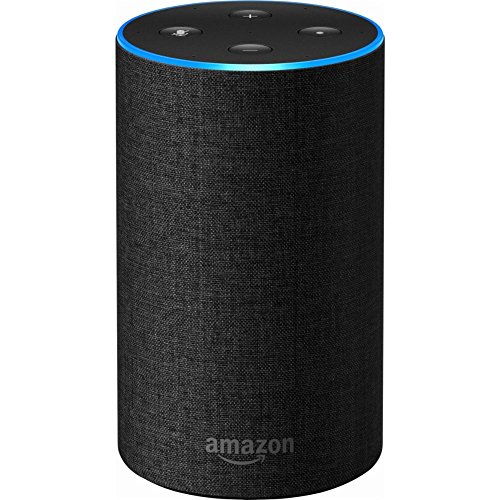
We've had the Amazon Echo in our living room for many years now, and it has turned out to be quite the surprisingly fun addition to the household. Alexa, our trusty AI companion, is primarily our personal DJ for living room dance parties, but there is also a very long list of games and activities - known as skills - that bring our family a lot of enjoyment. And we’re going to share with you the best skills we’ve found so far.

The nice thing is that all of the skills for Alexa are free to download, so we've personally never spent any more than the original cost of the device. More skills are being added all the time though, so it’s certainly becoming harder to weed through the pages of content to find the best stuff.
For that reason, we want to provide a list of our very favorite things to do with our family on Amazon Echo devices. Many of the items on this list promote literacy and imagination and silliness. If you already have an Echo, hopefully you’ll find a new free skill to download. Or perhaps this list could just help you decide if owning an Echo device sounds like it’s worth it for your family.
We’ve split our list into 3 categories:
1) Our Favorite Family Skills on Amazon Echo
This is where you’ll find all of the skills we love to use that are free and ready to activate with your Echo device right out of the package.
2) Alexa Skills for Subscriptions You May Already Have
These are the skills that take full advantage of other subscriptions you might already own or pay for.
3) Alexa Skills for the Echo Buttons
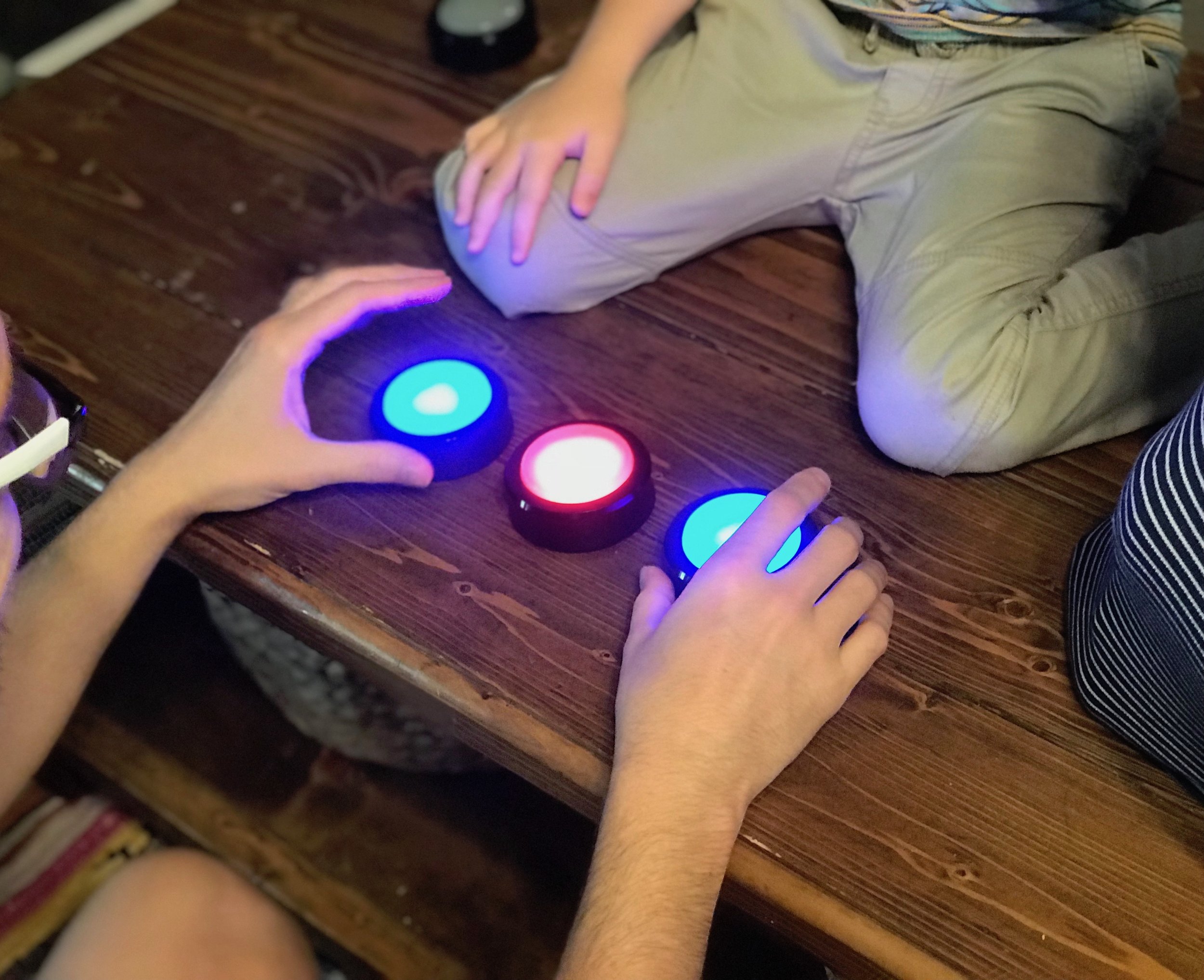
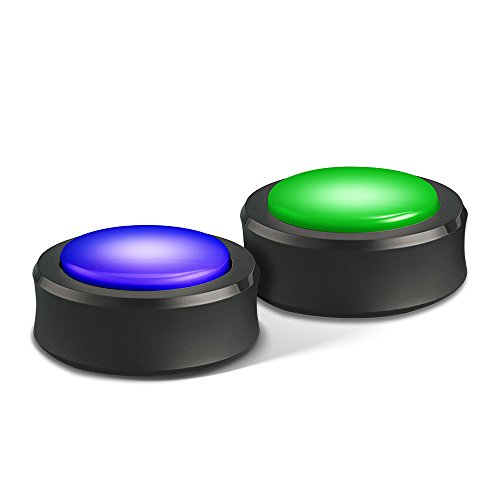
The Echo Buttons are still relatively unknown, but they’re actually a lot of fun and have lots of potential. The buttons are an optional add-on for Alexa - and they allow you access to a completely different and growing catalog of games designed specifically for their use.
We’ll keep this list updated as new skills come out and we discover new things we love to use our Alexa for. Disclosure: Some of the links in this post are affiliate links. These links and images will lead you to view the items’ listings on Amazon.com.
Our Favorite Family Skills on Amazon Echo
Amazon Storytime
We’re going to start this list with Amazon Storytime because it’s the one skill on Alexa every family needs - without a doubt. Amazon Storytime is a collection of professionally read stories from Amazon Rapids and Audible, and it’s completely free. Ask Alexa to open Amazon Storytime and you will get a randomly selected short story read to you and your children. Some of them are original stories and performances, while yesterday we heard What Do You Do With a Kangaroo? by Mercer Mayer. It’s a must-have addition to Alexa for families - our kids love to cuddle up and hear these stories.

Story Blanks
Story Blanks is another very high quality and highly recommended skill made by Amazon. It’s basically Mad Libs - where you’re asked for a noun, a verb, an adjective, etc. - and then Alexa reads you your silly story you helped make. There are 4 stories to choose from initially. But if you go to Alexa Blueprints and choose the Storyteller Blueprint, you can even write your own stories for Story Blanks with sound effects and everything. You can make new story blueprints for your kids or you can work on the ideas together. There are even templates for personalized stories for Mother’s Day or Father’s Day too.
Choose Your Own Adventure
Personally I find this to be the most exciting addition to the growing library of Amazon Echo skills. My son and I have really been getting into various versions of choose-your-own-adventure style entertainment. Some of our very favorite books and board games have this format. And this particular skill is a partnership with Audible and the original classic Choose Your Own Adventure books by R. A. Montgomery. This is the real deal for Choose Your Own Adventure fans, and it’s probably the best fuel for your imagination on the Echo.
The Magic Door
This was one of the very first skills that we activated on Alexa. I can still fondly remember our 3-year-old trying to tell Alexa to “Open the Magic Door”. (Bonus Points: Alexa is secret pronunciation practice for toddlers. She will make you say it right.) The Magic Door is a choose-your-own-adventure story where you simply listen and state your answer when there’s a choice to be made. “Do you want to wake the sleeping dragon, or go back the way you came?” Our son really loves playing this game.
Silly Things
This may surprise you, but our 2-year-old and 5-year-old kids like being silly. Silly things is a relatively new find for us. After activating this skill, just ask Alexa for a silly thing to do and she will oblige. She might ask you to act like a dragon, or pretend you’re inside an invisible box. Take turns with the family and do whatever Alexa asks you to do.

Riddles/Jokes
We’ve been asking Alexa for riddles and jokes for years now. Just say, “Alexa, Tell me a Joke/Riddle.” Her supply of riddles is unfortunately not limitless, and you’ll begin to hear some repeats, but Alexa certainly gave us some of our very favorite riddles and jokes - some of which we listed in this article. I can honestly credit Alexa for beginning our interest in memorizing jokes and riddles to share with others. And now with Alexa Blueprints, you can even provide Alexa with your very own list of favorite jokes as well.
Animal Workouts
There are plenty of exercise routines on Alexa now, but we’re pretty sure Animal Workouts is the most fun for the whole family by a long shot. Get everyone down on the ground crawling like a crab or hopping around the room like a Kangaroo. It’s a lot like playing Silly Things, but the silly things are designed to get your blood pumping and your muscles working.
Intercom
Our kids, especially our oldest, have always had an infatuation with communicating with others through phones, messages, walkie talkies, FaceTime, Message Monster, secret notes, cups on strings, and any other way that you can talk to others. Well Echo devices have an intercom function, and that’s just the icing on the cake for him. We have our original Echo in the living room, and a smaller Echo Dot way on the other side of the house. Once you enable the drop-in feature, just ask Alexa to call the living room and you’re connected and able to talk across the house. Have fun, kids! Now if we just put a Dot in every room there’ll be no more screaming across the house.
Ambient Sounds
At one point in my life I tried very hard to find a good ambient sound machine. Luckily there is now a wide array of skills on Alexa designed purely to produce different ambient sounds for sleep, relaxation, or just background noise. We’ve actually downloaded a whole lot of specific sounds - jungle sounds, river, thunderstorms, etc. Just search for ambient sounds and you’re sure to find the type of noise you like. My personal favorite is Ambient Sounds: Thunderstorm Sounds. In fact, it’s on right now.
Stop, Breathe & Think
Alexa can also be your personal Yogi with skills like Stop, Breathe, & Think. It’s no secret that promoting mindfulness, calmness, and focus in your children is a good idea. I think my son inherited my tendency to have my brain kind of going non-stop. He is always thinking up new ideas and blurting them out in a stream of consciousness - seemingly without taking a breath. Best of all, most of these ideas show up at bedtime. Guided meditations can help clear the brain when we need to, and give us more power over our executive functions. In a world where the pace keeps picking up, it’s certainly important to teach your kids the gift of peace and relaxation
Would You Rather for Family
If you’ve ever played “would you rather”, you know it’s a silly game where you’re given two ridiculous or difficult choices and you have to choose one. Inside the family version, you also have choices like playing the Disney version or the Harry Potter version as well - “Would you rather travel by Sirius’ enchanted motorbike or by portkey?” A nice feature of this game is that it lets you know how your answers compare to everyone else in the world who has answered.
Jeopardy!/Teen Jeopardy!
My very favorite thing to do on Alexa is to play Jeopardy!. There are twelve new questions every single weekday. It even remembers the questions and allows you to go back and play days that you missed. In the end you get to hear how you stack up against everyone else who played that day. Of course, whether or not your kids can help yet depends on how old they are. But that doesn’t stop it from being the best game on Alexa. Teen Jeopardy! is basically easy Jeopardy! and might be a better place to start for kids in upper grade school.
Kids News
Alexa has a flash briefing service which you can attach to any news service you like to get brief news highlights. All you have to do is ask Alexa for your flash briefing. I highly recommend setting your flash briefing to Kids News. Family appropriate, interesting, and not depressing, Kids News is full of cool snippets of intriguing news from around the world that can spark the imagination and curiosity of your kids.
Pikachu Talk/Woof!/Meow!
Did I mention that our kids like to be silly? Well imagine their delight when they discovered that Alexa will talk to them like Pikachu. Or, even better, that if they woof or meow, Alexa will happily woof or meow back at them. I don’t think much more needs to be said. But boy oh boy do they love that.
Customizable Skills and Games
We’ve mentioned Amazon Blueprints a couple times now, but if you haven’t checked it out yet, you really must. Amazon Blueprints basically allows you to make your own skills. Please take a moment to go see the different options there are for creating new skills. You can make your own trivia games and game shows (compatible with the Echo Buttons - more on those below), or you can write your own stories. You could also make your own list of personalized facts and completely blow your kids away with how much Alexa knows about them!
Alexa Skills for Subscriptions You May Already Have
Audible
If you’ve ever bought an Audible audiobook, you can listen to it through your Echo device. Audiobooks for adults can start to get kind of expensive, but the nice thing for families is that kids books are really affordable. We’ve bought many picture books on Audible for just a few dollars each, and Audible works so that if you have a membership, prices are further discounted. Alexa can actually read any Kindle book you own too, but she’ll do those in her robot voice. If you own the Audible version, it’s the professional readers and voice actors coming out of your Echo device. If you’ve built up a personal collection of audiobooks, don’t forget about this feature and the potential to cuddle up around the fireplace listening to a book.
Hulu/Netflix/Amazon Prime
If you happen to own a Fire TV, and you have services like Amazon Prime Video, Hulu, or Netflix, Alexa can start to do some wacky futuristic stuff. It still feels like witchcraft that we can ask Alexa to find The Magic Schoolbus for us and our TV opens up Netflix and just starts playing The Magic Schoolbus. Our son really loves this feature. Even though you might expect Amazon to treat Hulu and Netflix as competitors - it’s actually remarkably easy to find your content across all of your subscriptions on your TV. Warning: Hiding the controller no longer prevents your kids from changing the channel when you’re watching something.
Alexa Skills for the Echo Buttons
Button Monte
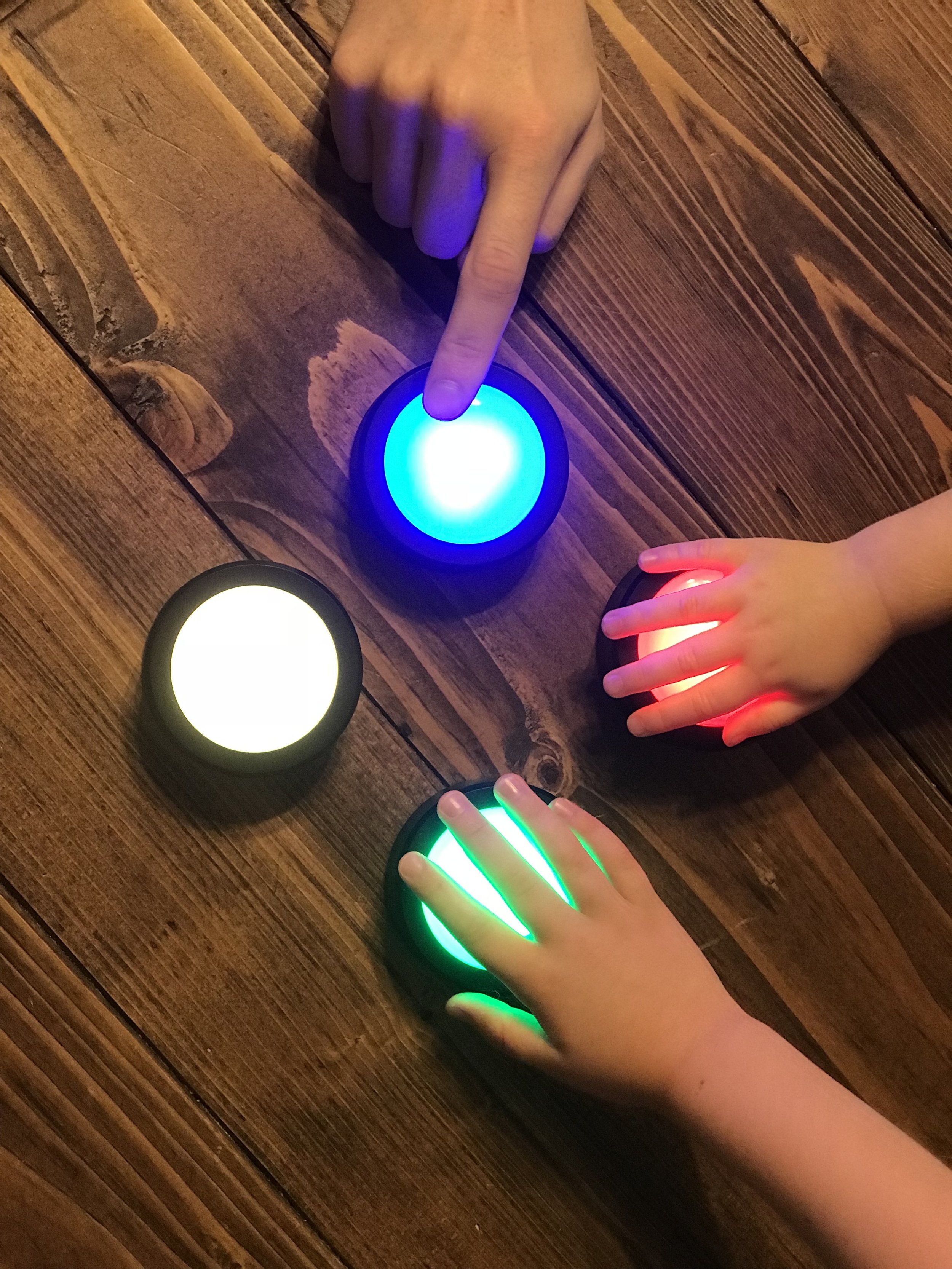
Once again I want to start with our favorite. My 5-year-old son really likes Button Monte. One button is briefly identified as the one to find and then they all turn blue. “The trickster” then tries to mix up the buttons like Three-Card Monte. Then the other person tries to pick the correct button. You can play with up to 4 buttons, but we’ve discovered that going from 3 to 4 actually seems to make it a little bit easier. My son loves both mixing up the buttons and trying to find the right button. I go all out on this one. I get really creative and fast and really try to stump him, but he is very good at finding that button.
Simon Tap
Just like the classic game Simon, you have blue, red, yellow and green dots and you have to remember the order to hit them in. Get it right and it continues to get harder until you can’t remember anymore. One difference is that you are actually hearing the commands verbally from Alexa - “blue, red, green, green, blue, yellow.” You could really mix up the difficultly by having different people hold different colors.
Squeak in the Night
This game is a don't-get-greedy style of game with a fun dose of imagination for the kids. Everyone playing is a mouse and everyone holds a button. The mice are trying to collect food but there is a dangerous cat in the house. Every round each mouse has a choice, store the food you’ve found and sit out for the next round, or keep going and risk being caught by the cat. If the cat catches you, you lose all the food you’ve gotten since the last time you stored it. The mouse who stores the most food wins.
Bandit Buttons
This is a really fun reaction game with a wild west theme. The idea is that you’re having a duel with everyone playing. You need to place the buttons out in front of you, and when all of the buttons light up the same color, the first person to hit their button wins. But if you make a mistake - three strikes and your out.
Trivial Pursuit Tap
Similar to Jeopardy!, your kids may or may not be able to play Trivial Pursuit with you yet, but it’s definitely one of the best games that makes use of the Echo Buttons so far. This one is a really fun party game, much better for groups than Jeopardy!. Just like with the Trivial Pursuit board game you are competing to be the first to answer a question in each of 6 categories: Geography, Entertainment, History, Arts & Literature, Science & Nature, and Sports & Leisure.
Make Your Own Trivia Game
Through Amazon Blueprints, you can build your very own trivia game with a game show announcer and everything - and you use the Echo Buttons to buzz in. The possibilities are endless. You could use it to make a lighthearted trivia game with facts about your family - “What’s Mom’s middle name?” You could even use it to study homework - and teachers could definitely use it in the classroom. My personal favorite idea is simply custom designing a trivia game that your kids can take part in, however old they are. By writing dozens of questions and answers you know they’ve been exposed to in the past, you can ensure they can happily and fairly take part in the game.
Those are the very best skills our family has discovered on our Alexa so far! Please let us know in the comments if you’ve found anything else that your family loves to do with your Echo device - and we will keep this list updated as we discover new things worth recommending!